アウトバウンドサポート
アウトバウンドサポートを使用すれば、アプリ内で発生した問題を顧客と積極的に関わり合いながら解決へと導くことができます。この機能の詳細については、こちらをご参照ください。
SDKに含まれているすべてのパブリックAPIは、HelpshiftSdk.Install() APIを介してSDKを初期化した後に呼び出す必要があります
この機能の使用手順は、以下の通りです。
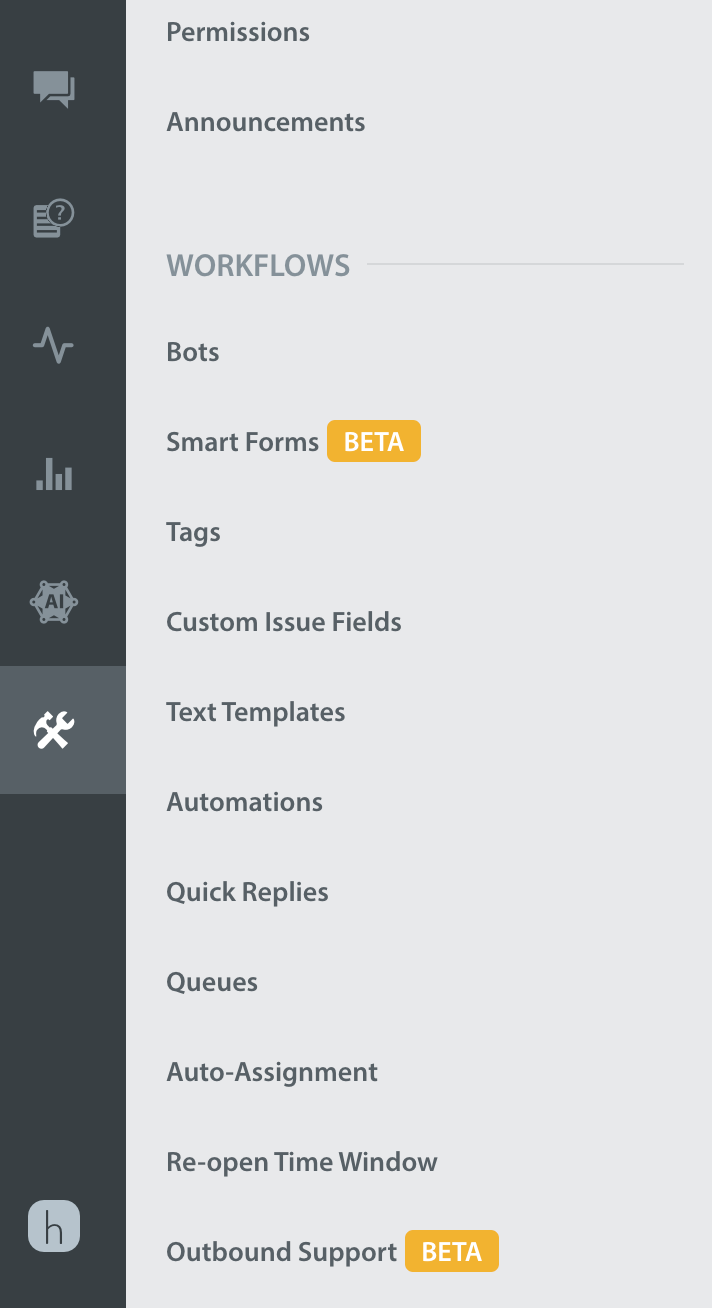
アウトバウンドサポート用のリンクを生成するには、Helpshiftのダッシュボードで、「設定」、「ワークフロー」、「アウトバウンドのサポート」の順に移動します。
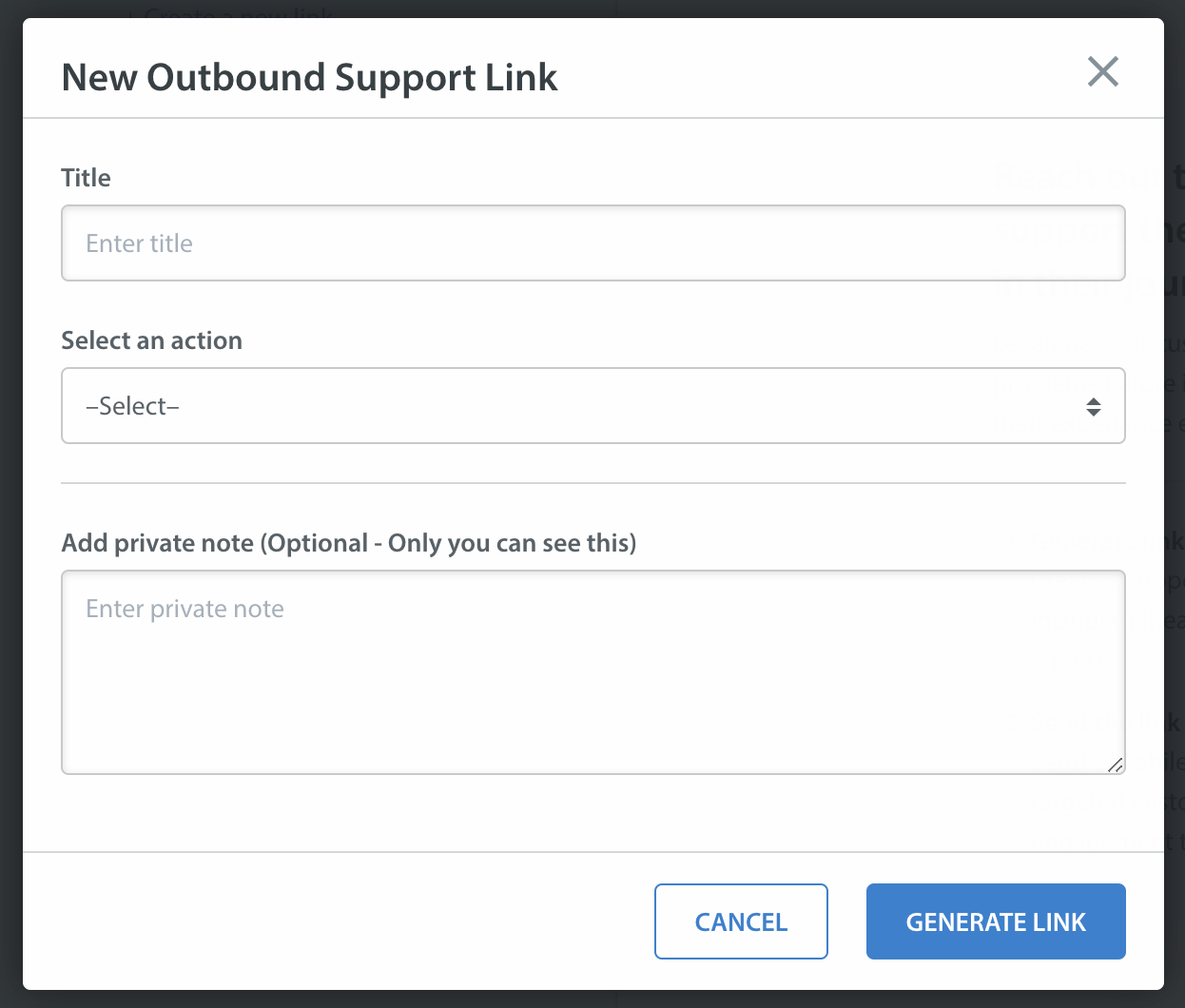
「リンクを作成」ボタンが表示されているはずです。「リンクを作成」ボタンをクリックし、チャット、ヘルプセンター、シングルFAQ、FAQセクションなどのアクションと、Helpshift SDKにペイロードとして送信するCIF、タグ、最初のユーザーメッセージなどのデータを選択します。
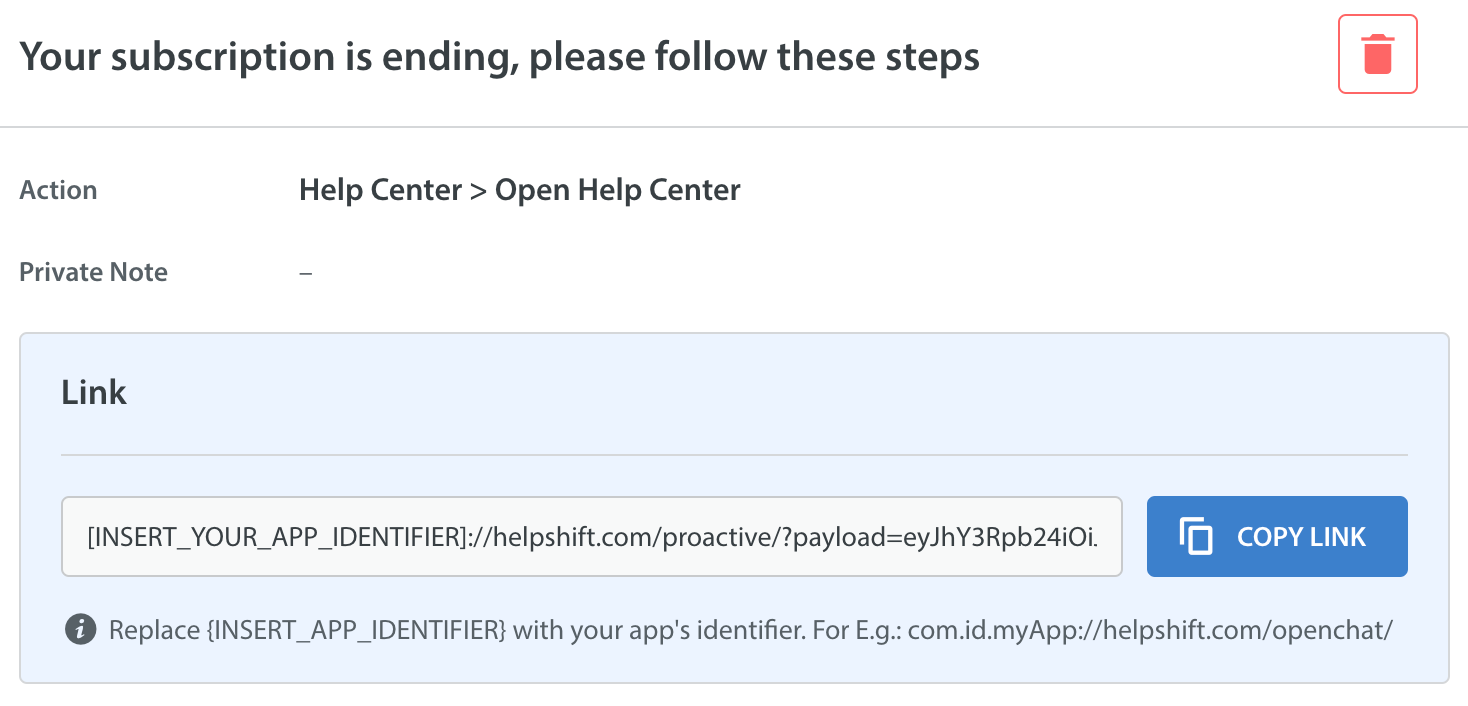
最後に、URLエンコードされたペイロードのリンクを取得します。既存のプッシュ通知システムを使用して、このリンクを通知ペイロードに埋め込まれたエンドユーザーへと送信します。
YOUR_APP_IDENTIFIERには、アプリを識別する一意の文字列を指定できます。たとえば、myAppやmyAppSupportなど、アプリのディープリンクURLで使用するスキームのようなものを指定します。
プッシュ通知のデータをHelpshift SDKにデリゲートする
アウトバウンドサポートのデータをHelpshiftに渡すには、以下の手順に従ってください。
アプリの既存のプッシュ通知システムを使用して積極的なサポートを実施するユーザーにプッシュ通知を送信します
ユーザーが通知を介してアプリを開いたときに、通知データに含まれるアウトバウンドサポートのリンクを
HelpshiftSdk.HandleProactiveLink(String link)関数を呼び出すことによってHelpshift SDKに渡すようにアプリ内でこの通知を処理します。提供されたリンクからデータを読み取り、アウトバウンドサポートダッシュボードから提供された構成を用いてHelpshiftのサポートを開きます。
例:
Unity用のFCMプラグインを使用している場合、これはOnMessageReceivedデリゲートで処理できます。
// Initialize Firebase as per FCM Unity plugin's documentation.
void InitializeFirebase() {

    .
    .
    .
    .
    // Firebase should be initialized before calling next steps.

    // Firebase plugin receives push notification via this event.
    Firebase.Messaging.FirebaseMessaging.MessageReceived += OnMessageReceived;
}

public void OnMessageReceived(object sender, Firebase.Messaging.MessageReceivedEventArgs e)
{
    IDictionary<string, string> pushData = e.Message.Data;

    /** You should check if the notification is for outbound support sent from your existing push notification system.
     For example, say you sent push notification for outbound support with additional data key "outboundLink" containing the outbound support link generated from Helpshift dashboard.
     FCM plugin works the following way:
         If the app is in foreground:
                FCM plugin does not post a notification on device's notification tray.
                e.Message.NotificationOpened is false.
                You are expected to handle this notification as per your use case.
        If the app is in background:
                FCM plugin will post a notification on device's notification tray.
                OnMessageReceived event is not invoked.
                When user taps on this notification, then OnMessageReceived event is invoked with e.Message.NotificationOpened as true
    **/
    if (pushData.ContainsKey("outboundLink")) {
          string outboundLink = pushData["outboundLink"];
          if (e.Message.NotificationOpened) {
                // This means that the user has tapped on a notification posted by FCM plugin.
                HelpshiftSdk.HandleProactiveLink(outboundLink)
          } else {
                // This means that app is in foreground and FCM plugin did not post any notification on device.
                // It is expected to handle this notification as per your use case.
                // You can post an internal in-app notification to keep the user engaged in the app.
                // Do not call HelpshiftSdk.HandleProactiveLink(outboundLink) here since it will directly open Helpshift SDK Helpcenter or chat screen.
                // The user should be first notified and only when user taps on the notification then call the HelpshiftSdk.HandleProactiveLink(outboundLink) function.
                // You can also choose to show a notification on device, just like FCM plugin, but the code for it is to be written by you.
                // When user taps the in-app or device notification you should call HelpshiftSdk.HandleProactiveLink(outboundLink)
          }
    }
}
UnityのC#レイヤーでユーザーによる通知のクリックを処理する場合、アウトバウンドサポートの通知の処理にはHelpshiftSdk.HandleProactiveLink(string proactiveLink)関数を使用することができます。
現在のユーザーに固有の構成を渡す
ユーザーが通知をクリックした際に、アプリ内の現在のユーザーに固有の構成を追加したい場合があるかもしれません。
ローカルAPIの構成を設定することにより、Helpshift SDKは(先のステップで述べたように)アウトバウンドサポートのリンクに埋め込まれた構成と、実行時に提供されるローカル構成の両方から構成をマージすることができます。このローカルAPIの構成は、ShowConversation()やShowFAQs()のようなその他のAPIに期待される構成と全く同じです。
この構成は、現在の問題と、同じセッションで提出された次の問題に使用されます。
このAPIは、Helpshift Installation APIよりも後、そしてHelpshiftSdk.HandleProactiveLink()よりも前に呼び出す必要があります。
いずれかのクラスのパブリックインターフェース
IHelpshiftProactiveAPIConfigCollectorを実装し、HelpshiftSdk.SetHelpshiftProactiveConfigCollector(new ProactiveConfigCollector())メソッドを呼び出してHelpshift SDKの初期化の後に構成コレクターデリゲートを初期化します。ShowConversation()やShowFAQs()のようなその他のパブリックAPIで追加する場合と同じフォーマットで、Helpshiftにより提供されるユーザー固有の構成を追加するためのgetLocalApiConfig()メソッドを実装する必要があります。
この構成と、アウトバウンドサポートのリンクに埋め込まれている構成をマージします。タグ、CIFなど、アウトバウンドサポートのリンクからの構成データをローカル構成に追加します。コンフリクトが発生した場合には、アウトバウンドサポートの構成が優先されます。
例:
// initialise proactiveConfig collector

   public class ProactiveConfigCollector : IHelpshiftProactiveAPIConfigCollector
    {
        public Dictionary<string, object> getLocalApiConfig()
        {
            Dictionary<string, object> proactiveConfig = new Dictionary<string, object>();
            proactiveConfig.Add("initialUserMessage", "Hi there!");
            proactiveConfig.Add("fullPrivacy", true);
            proactiveConfig.Add("tags", new string[] { "vip", "payment", "blocked", "renewal" });
            ..
            ..
            return proactiveConfig;
        }
    }